Figma Weave
AI Workflow
A production pipeline I built for myself to turn Mosaic's social calendar into finished, on-brand assets. I made it to save time, and I run it solo: a Word document goes in, finished assets come out.
Solo build. I designed and built the pipeline on my own, and I maintain it.
Turning the Mosaic social calendar into finished posts meant working through every entry by hand: sourcing imagery, looping in collaborators and applying brand rules. A full calendar took 2 days, on a recurring cycle with a lean team.
Mosaic's business partners aren't designers, so a template wasn't an option. They send me the social calendar as a Word document and I handle everything behind it. A Figma Weave AI pipeline digests the calendar and creates an on-brand asset for each entry, so I can iterate fast and send assets back for approval.
The interface in the demo above is a concept. In practice there isn't one. Business partners send the Word document, I run the pipeline and hand back finished assets. I built this for my own workflow, not as a tool for the team, so there was no reason to automate the handoff.
I turn the Word document into structured JSON (headline, body copy, CTA per entry) and feed it to Weave, which sorts each entry by post type: community investment, operations, recruiting, sustainability and more. Each type maps to a set background treatment.
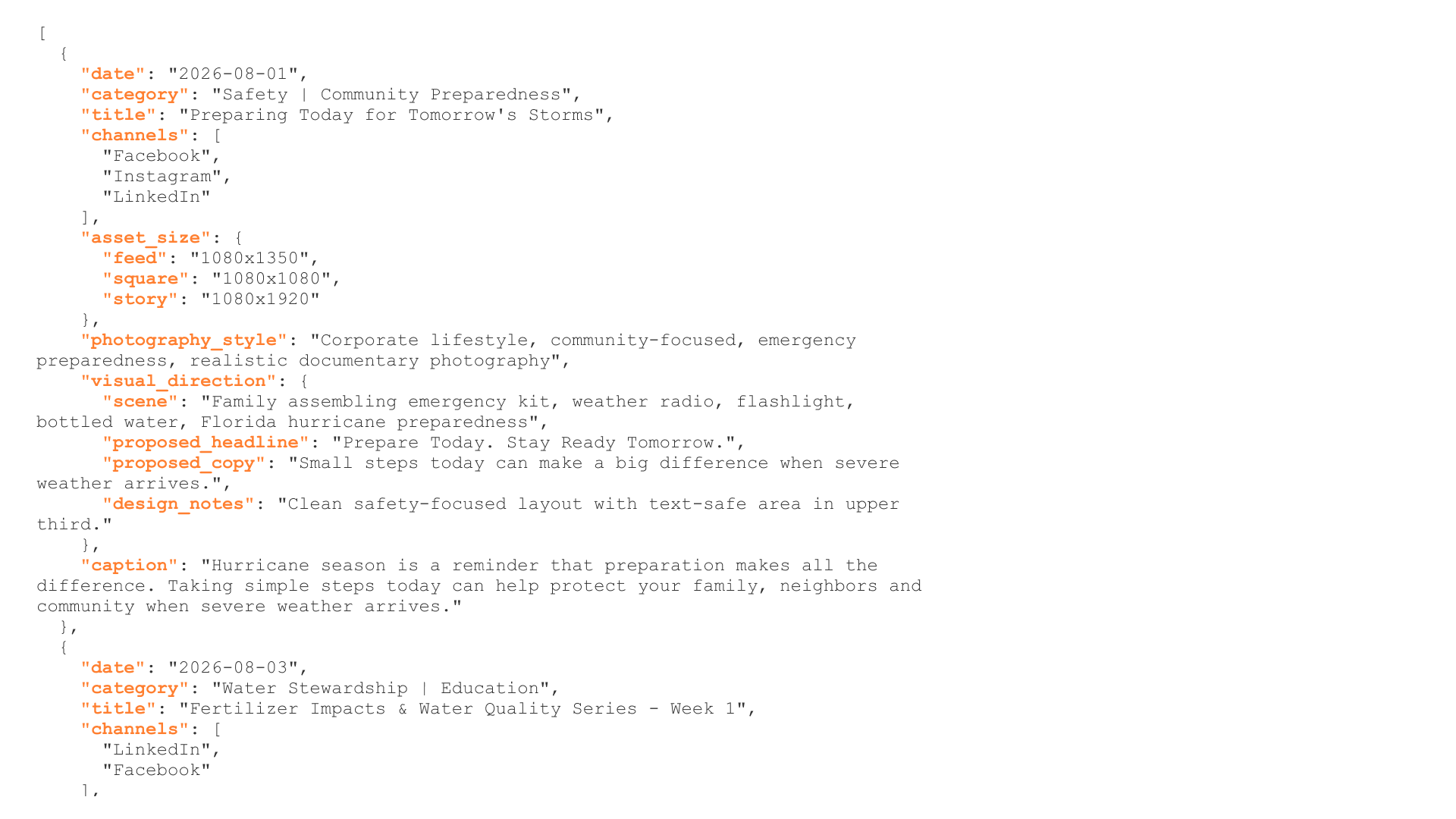
The pipeline is trained on Mosaic's brand guidelines, approved typography, color system and a curated reference library. I maintain it myself and review every output before it goes out, so I'm the one catching off-brand work. The success rate sits at about 90%: out of 100 assets, roughly 10 come out off brand.
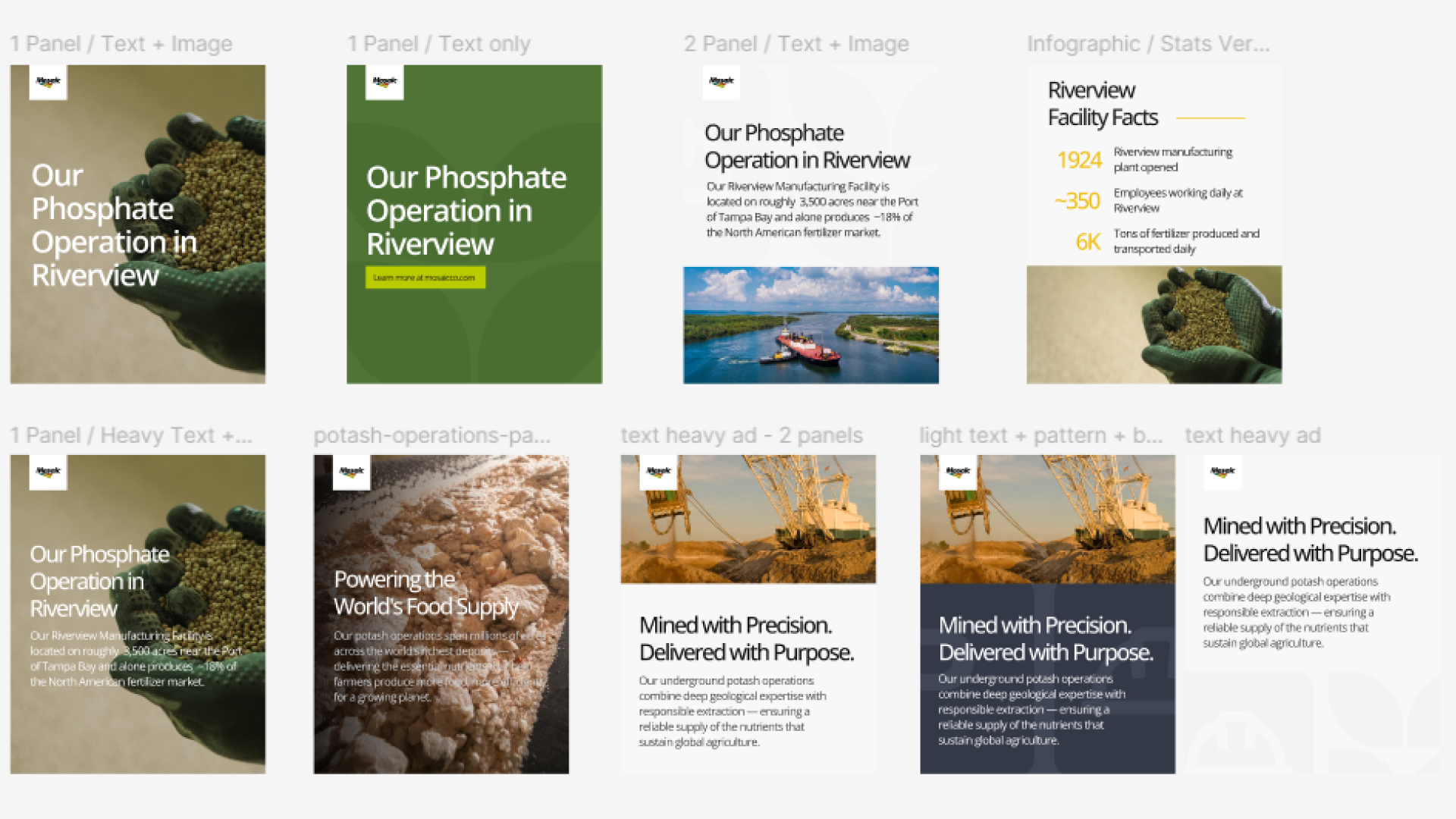
Generated assets across post categories.


Processing the calendar and designing every post dropped from 2 days to 4 hours. The time saved went back into higher-priority design work.